For golf clubs
Golf club booking system and tee sheet
Online tee booking for visitors and members, a day sheet for the desk, and card payments paid out to your club's bank. There's no subscription: Tee Time charges a commission only on payments golfers make online.
Visitors book and pay online
Golfers can book your tee times in three places:
- The Tee Time app and website, where golfers search courses near them.
- The booking widget on your own website: one widget for the club, covering every course you choose to show.
- Your Tee Time club website, if you have one.
You choose, course by course, whether golfers pay online when they book or pay at the club. Online payments go through Stripe to your club's own Stripe account. Golfers get a confirmation email and a link to manage their booking, and can cancel online until 24 hours before the tee time (or a longer notice period, if we agree one with you). Golfers pay no Tee Time booking fee on your club's own tee sheet, providing your club is signed with Tee Time.
Set up your tee sheet
- Opening hours, tee intervals and changes for particular days.
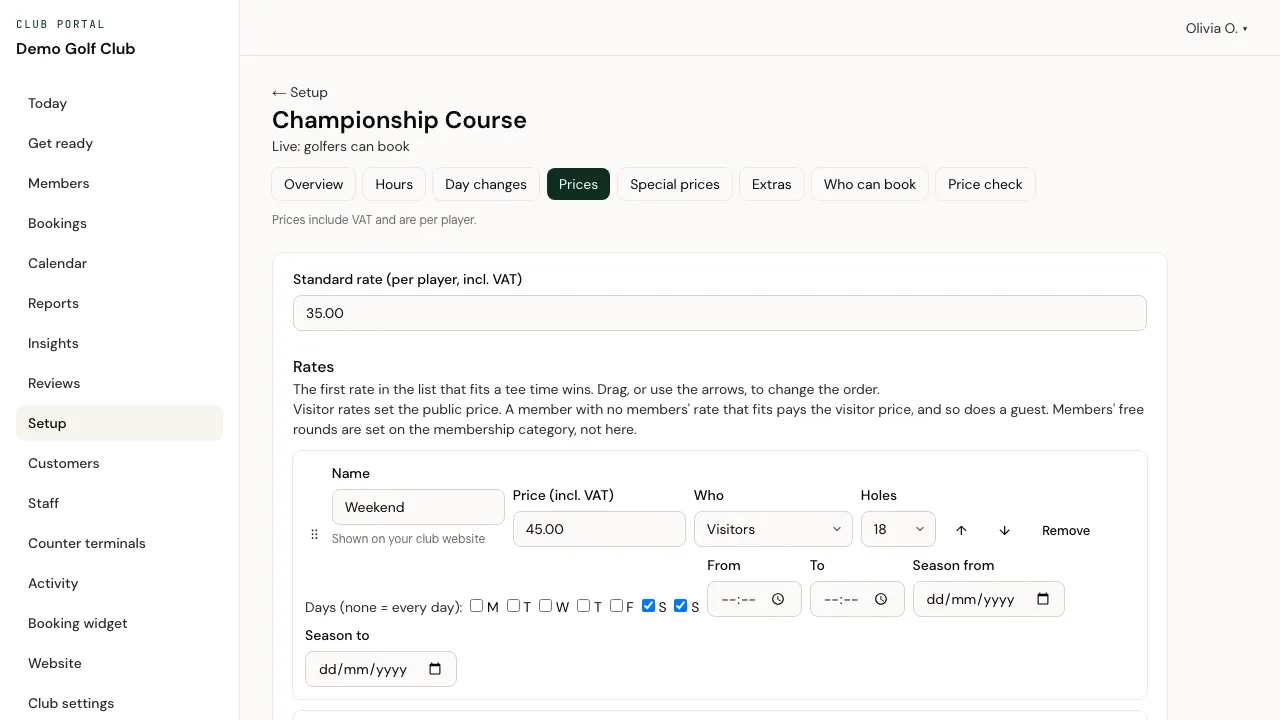
- A list of prices by day and time, where the first rate that matches wins, plus special prices for quiet times.
- Extras such as buggies, and which numbers of holes you offer.
- Closures for competitions, maintenance or weather.
- How far ahead golfers can book.
Check a price for any tee before you save, and see which bookings a change would affect. Nothing is published until you go live.
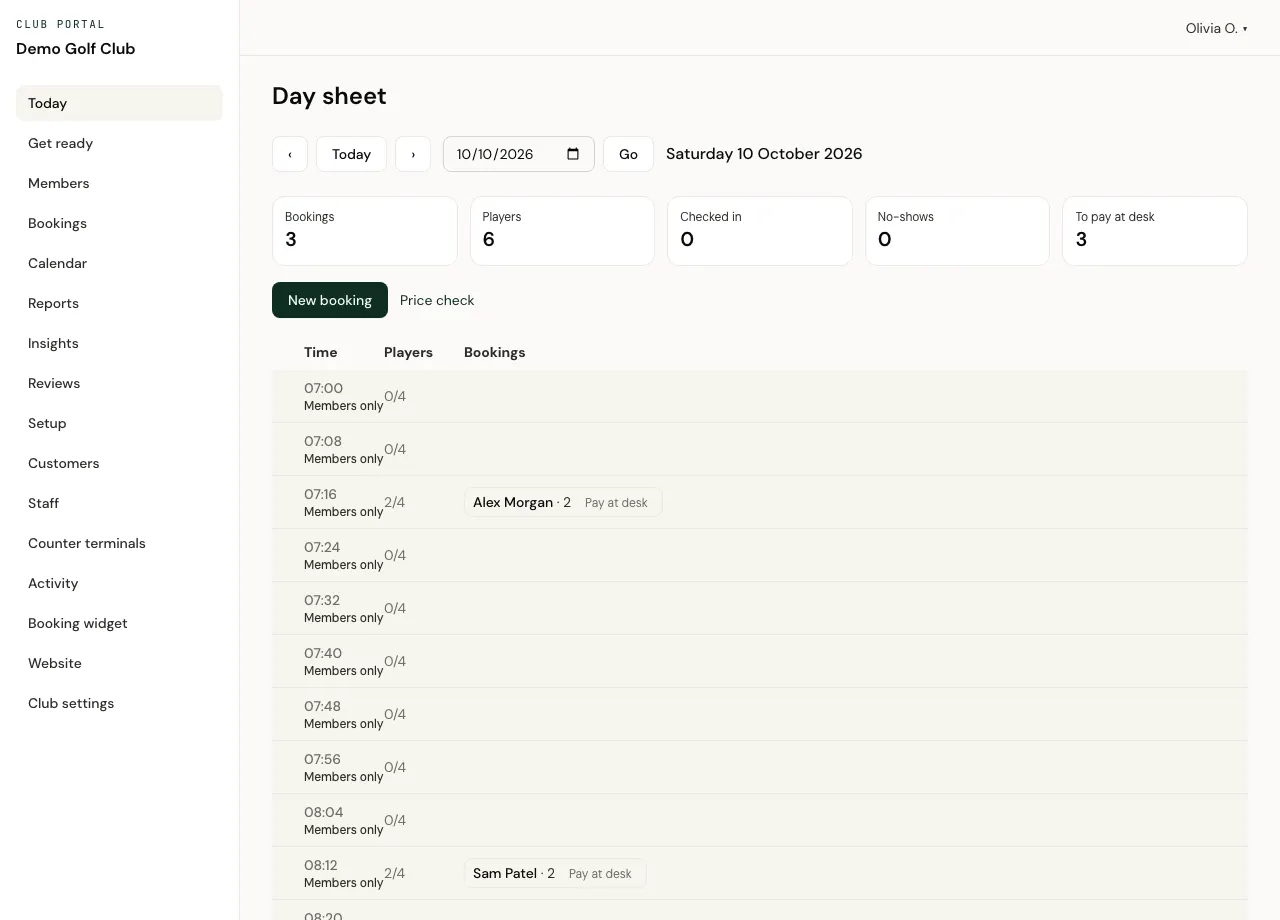
The day sheet
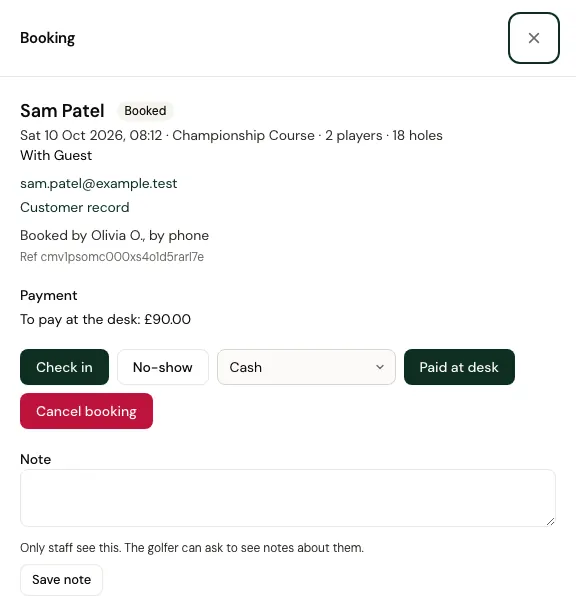
The desk sees the day's tee times with every booking on them. Check golfers in, mark no-shows, record payment at the desk, move a booking to another time, cancel, and refund an online payment in full or in part. Staff can take bookings for customers over the phone or at the counter, and add notes only staff see.
Scout: golfers preview your course
Golfers who find your course on Tee Time can open Scout, a hole-by-hole preview of each mapped hole, with a 3D view from the tee and a flyover down the hole. Tee Time builds Scout from OpenStreetMap where a course is mapped well enough, so there's nothing for your club to do.
Counter terminals and staff
Register the computer at the desk as a counter terminal. Each member of staff unlocks it with their own PIN, it locks itself when left idle, and a refund needs the PIN again. You decide what each member of staff can do, and every change is recorded in the club's activity log.
Members
Set up membership categories, keep tee times for members (all of them, or particular categories), give members their own rates and a rate for their guests, and let a membership cover the green fee. Import your members from a spreadsheet, then send each an invite to link their Tee Time account to your club.
Lessons
Coaches get their own diaries and lesson types, and golfers book lessons online. Golfers pay at the lesson; online lesson payments aren't available yet.
Moving over from your current system
Set up your course while golfers keep booking on your current system. Import upcoming bookings from a spreadsheet (CSV) downloaded from it, and match its columns once. Pick a switch-over time and turn off online booking in your current system from then, so a tee time is never sold twice. Then go live.
Reports and insights
- Bookings and money by payment date or by round date, and how full your tee sheet was each day.
- Spreadsheet downloads of bookings and payments, and your Stripe payouts at a glance.
- Insights: how often your courses appear in Tee Time searches, page views, Book taps and bookings by where golfers came from. Counted without cookies.
Take the tour of the club portal, from the day sheet to staff permissions, members, reviews and reports.
What it costs
- Subscription
- None.
- Setup fee
- None.
- Bookings paid at the club, covered by a membership or paid elsewhere
- No commission.
- Green fees and extras golfers pay online
- A commission on what the golfer pays online through Tee Time. It includes the VAT on our commission, and Stripe's card fees come out of it.
- Refunds
- Our commission on the refunded part is refunded too.
- Booking fee for golfers
- Golfers pay no Tee Time booking fee on your club's own tee sheet, providing your club is signed with Tee Time.
- Leaving
- 30 days' notice either way. Bookings already made go ahead, unless the club can't honour them or we both agree a clean break: then they're cancelled, online payments are refunded and the club repays anyone who paid at the club. You get a copy of your customer and member records, and your courses go back to the booking system they used before, if they had one.
These are the terms of our standard club agreement. Any special terms are agreed in writing in your agreement.
What Tee Time doesn't do yet includes competitions, handicaps and a till for the bar, so check the list before you decide.
Questions clubs ask
Can visitors pay by card when they book?
Yes, for courses you set to take payment online: in the Tee Time app and in your booking widget (Apple Pay works in the widget on websites we've registered). For courses set to pay at the club, golfers book online and pay when they arrive.
Can members book their own tee times?
Yes. Members link their Tee Time account to your club, then book the tee times you keep for members, at member rates, or with nothing to pay when their membership covers it.
How do we move over without selling the same tee time twice?
Set up your course while golfers still book on your current system, import upcoming bookings from a spreadsheet, pick a switch-over time, and turn off online booking in your current system from that time. Then go live.
Can staff take bookings at the counter?
Yes. A counter computer can be registered as a terminal: each member of staff unlocks it with their own PIN, and a refund needs the PIN again.
Talk to us about your club
Email us with your club's name and what you'd like to change: your website, your tee sheet, card payments or all three.
We use what you send to answer you, as our privacy policy explains.